

Receipt scanner: photos to text, Excel and CSV
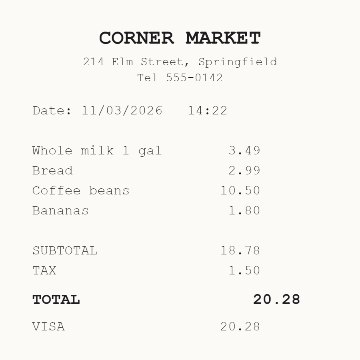
Take a photo of a receipt. Get the text, and the date, store and total in a CSV that opens in Excel.
Your photos stay on this device. Nothing is uploaded.
Questions
Can I scan receipts into Excel?
Yes. Choose your receipt photos, then press Download CSV. Open the file in Excel and you get one row per receipt with the file name, date, store, total and full text. The file is a CSV, not an .xlsx, and Excel opens it directly.
Is there a free receipt scanner I can use online without an app?
This page is one. It runs in the browser on a phone or a computer, so there is nothing to install. Up to 20 receipts at a time, free.
What is receipt OCR?
OCR means reading printed text from a picture. Here it runs on your own device: the first time, your browser downloads the text reader (about 7 MB), then it reads each photo and looks for the date, store and total. Check those three before you rely on them.
How do I turn a receipt into text?
Take a photo of the receipt, flat and straight from above, and choose it above. The text appears under the photo name, ready to copy.
What is in the CSV?
One row per receipt with five columns: file, date, store, total and the full text. It opens in Excel, Google Sheets and Numbers.
Are the date, store and total always right?
No. The tool looks for them in the text, and receipts are printed in many different ways. Check them before you use them. The date is kept exactly as it is printed, so 03/11 stays 03/11.
Which receipts work best?
Printed receipts in English, photographed in good light without folds or shadows. Faded thermal paper and handwriting come out with mistakes.
Are my receipts uploaded?
No. The text is read in your browser, on your own device, and nothing is sent to us. The first time, your browser downloads the text reader from this site, about 7 MB.